
Project overview
Feature overview
Purpose
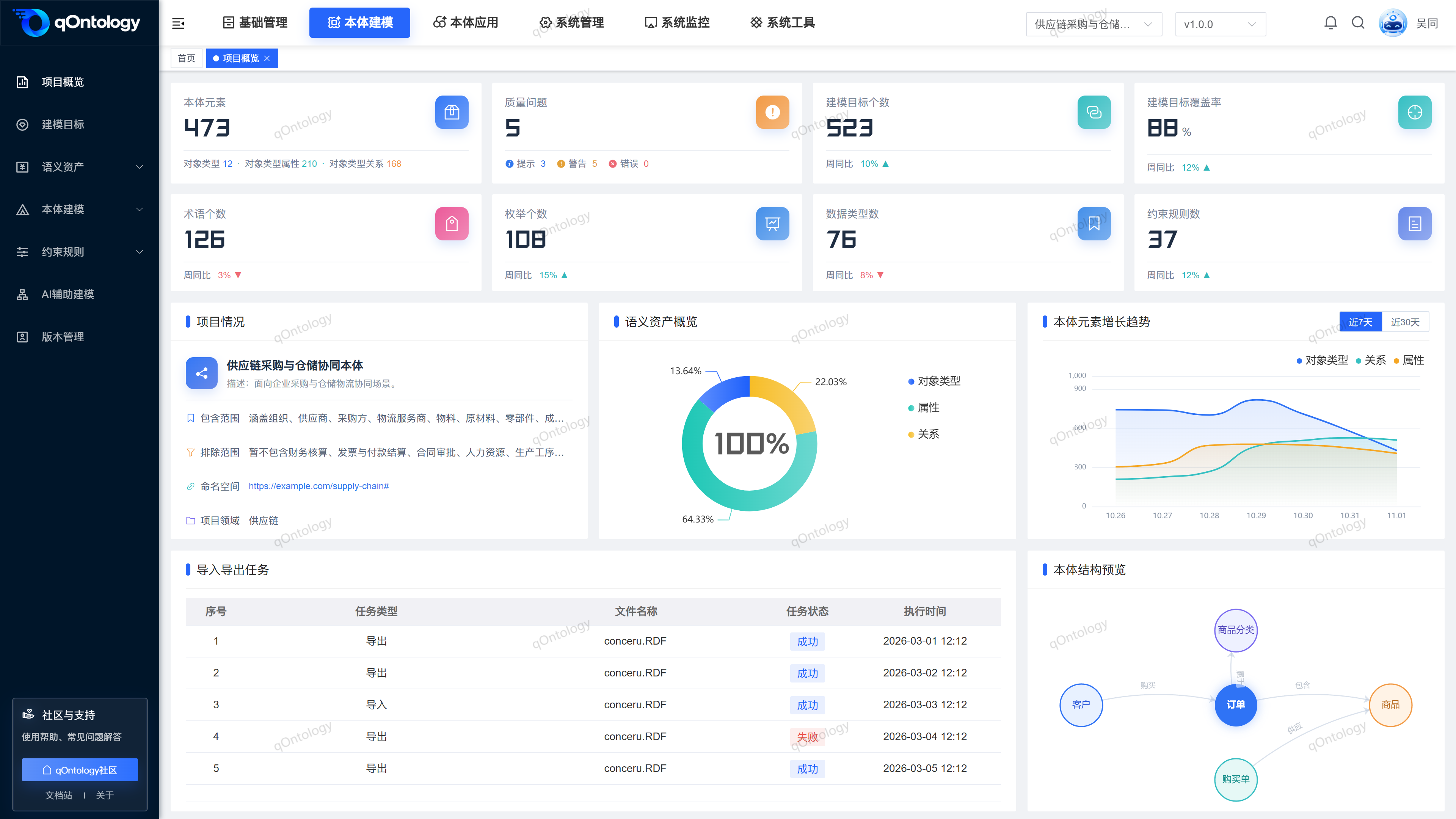
The project overview centrally presents project information, modeling scale, coverage and related charts to help understand the composition of the Ontology Modeling work. The current page shows the layout using sample data.
Easy to understand: This is an overview dashboard of the modeling work, the current numbers cannot be used as a basis for project acceptance.
Main features
- Information summary: View project information and modeling indicator areas on the same page.
- Chart display: Understand the display method of coverage, changing trends and model relationships.
- Work entrance: Enter the target, Semantic Assets and ontology model pages through the side menu to continue the operation.
Scope
This page is an overview entry to project modeling information. The current content uses sample data; the scope and actual results of the business data should be checked on the specific page corresponding to the selected project version.
Before you begin
Prerequisites
- You have logged in to qOntology and have obtained the permissions for this page and the required operations.
- The project has been created in [Basic Management], and the correct project and version have been selected at the top of [Ontology Modeling].
- Already understand the scope of this project; this page is currently a sample display, please check the corresponding business list for actual information.
Navigation path
【Ontology Modeling】 > 【Project Overview】
Page overview
The page consists of indicator cards, project information, coverage charts and list areas. The numbers, charts and project information on the current page are examples and do not automatically form reliable statistics with business data.
Warning
The current overview is a sample presentation. Do not use cards, charts, or sample task numbers as real project statistics or acceptance results.
Recommended workflow
Select the project and version → View the overview layout → Go to the specific business page to check the real information.
Functional operation instructions
View overview and check business profile
- Select the target item at the top of [Ontology Modeling].
- Select the version you want to view.
- Enter [Project Overview].
- Read the indicator cards and display areas.
- Enter the corresponding business page through the side menu to check the real records.
Result: You can understand how the modeling information is organized; the actual quantity and content should be based on the corresponding business list.
FAQ
**Why are the overview values and lists inconsistent?**The current implementation of
uses sample data. Please go to Modeling Goals, terminology management, Object Types and other pages to check the real records.Can I add new objects or perform extractions in the overview?
This page does not have a corresponding business submission process; you should enter the Object Types or Ontology Applications page for operation.
Summarize
This is an overview dashboard of the modeling effort and current numbers cannot be used as a basis for project acceptance. Select the project and version → View the overview layout → Go to the specific business page to check the real information.