Notices and Announcements
1. Notification and announcement page
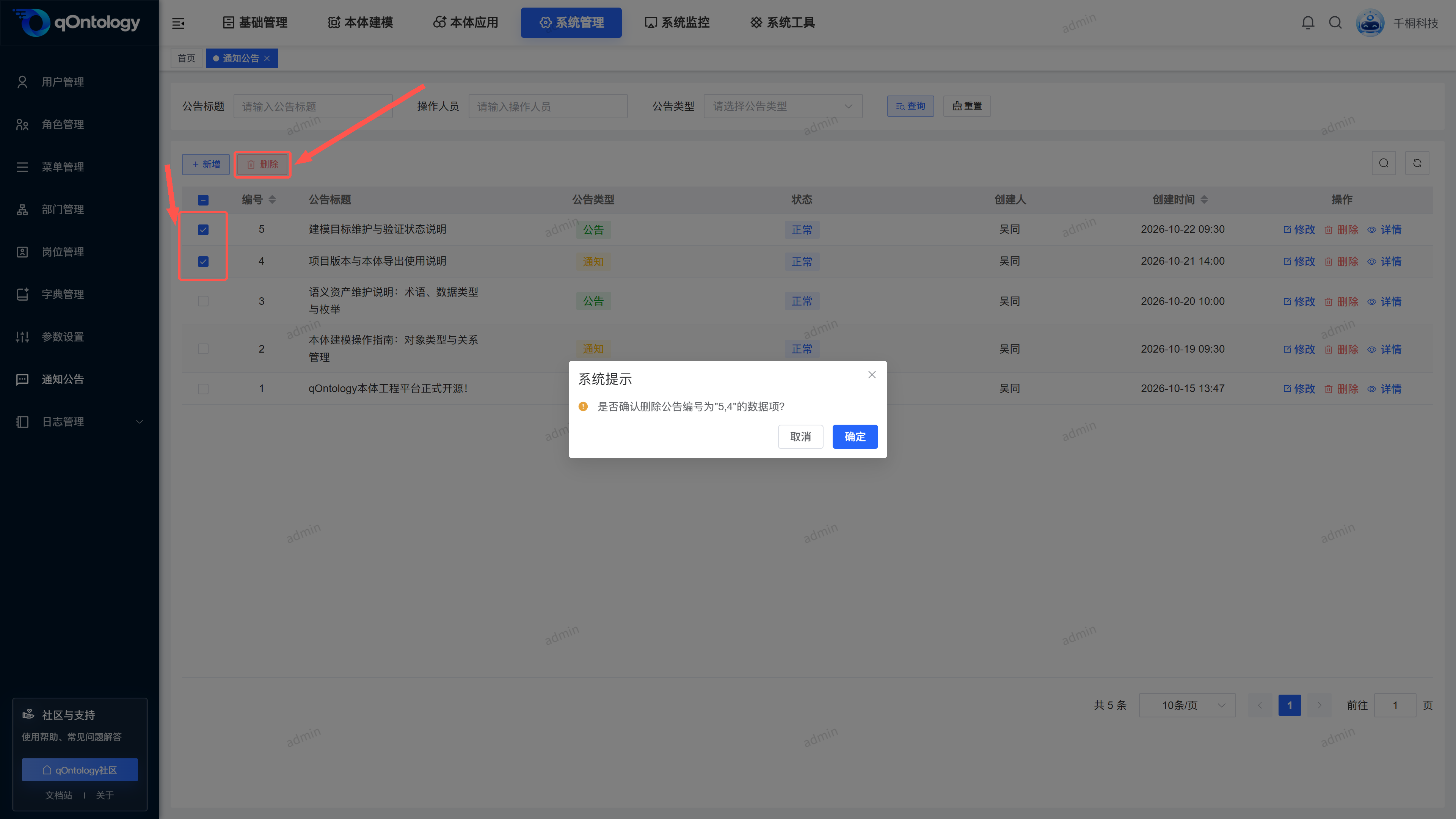
Click [Notification and Announcement] under [System Management] to enter the notification and announcement page. This page displays a list containing fields such as serial number, announcement title, announcement type, status, creator, and creation time.
2. New notification announcement
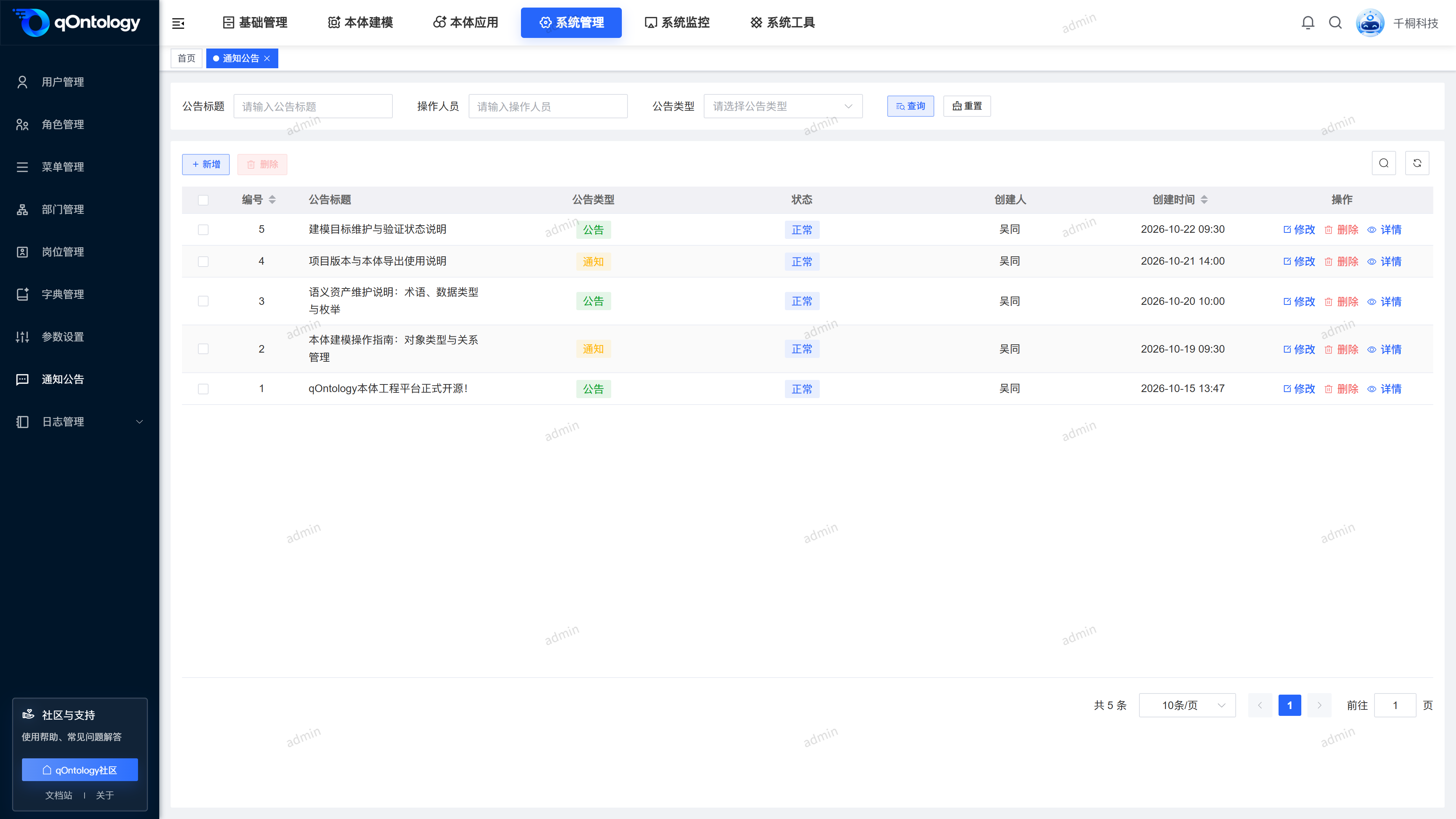
Click the [Add] button on the page, fill in the notification and announcement information in the pop-up box that appears, and click the [OK] button to complete the addition of the notification and announcement.
3. Modification notification announcement
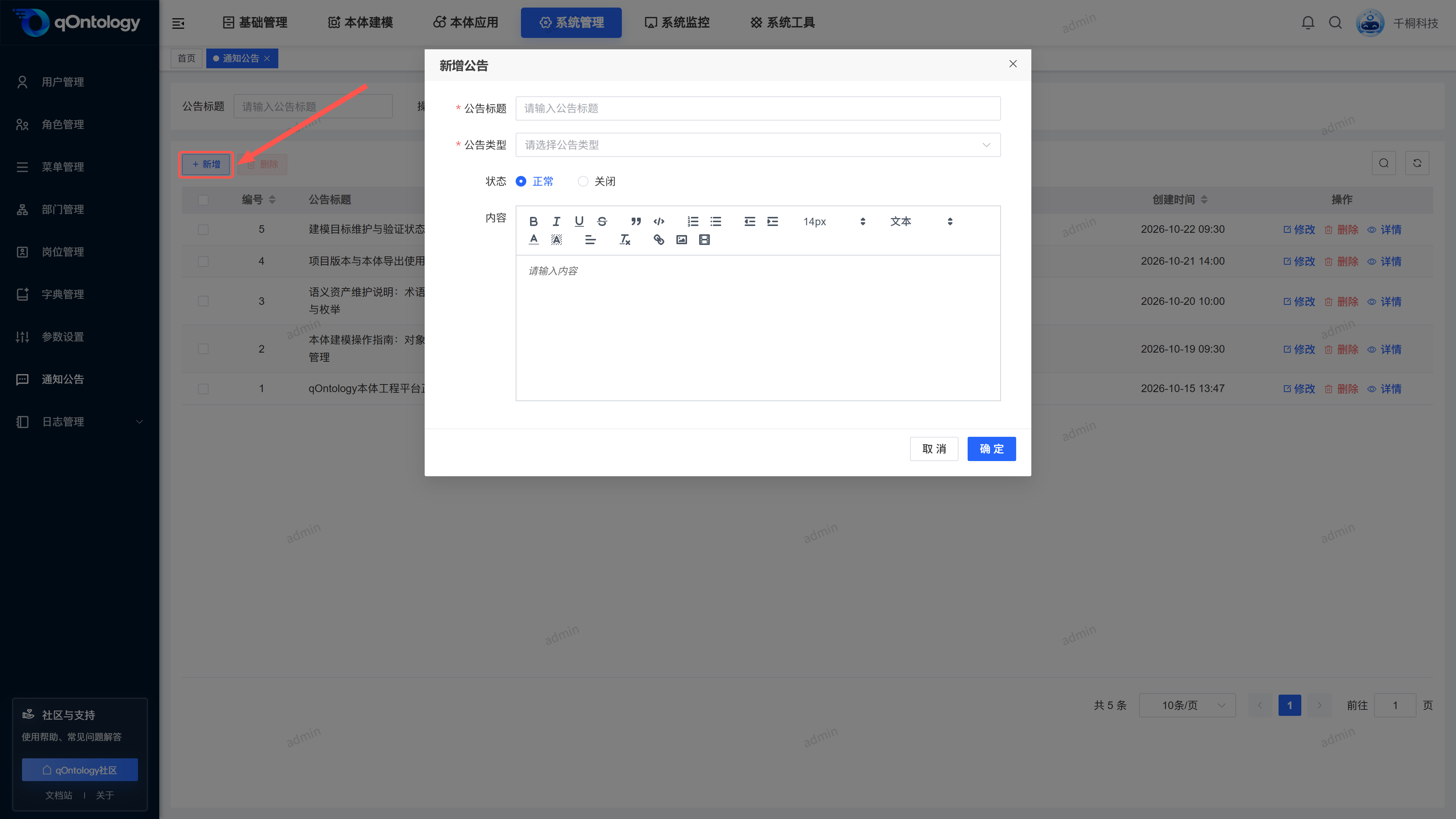
Select the notification announcement to be modified, click the [Modify] button in the operation column, modify the existing notification announcement information in the pop-up box that appears, and click the [OK] button to complete the modification of the notification announcement.
4. Delete notification announcement
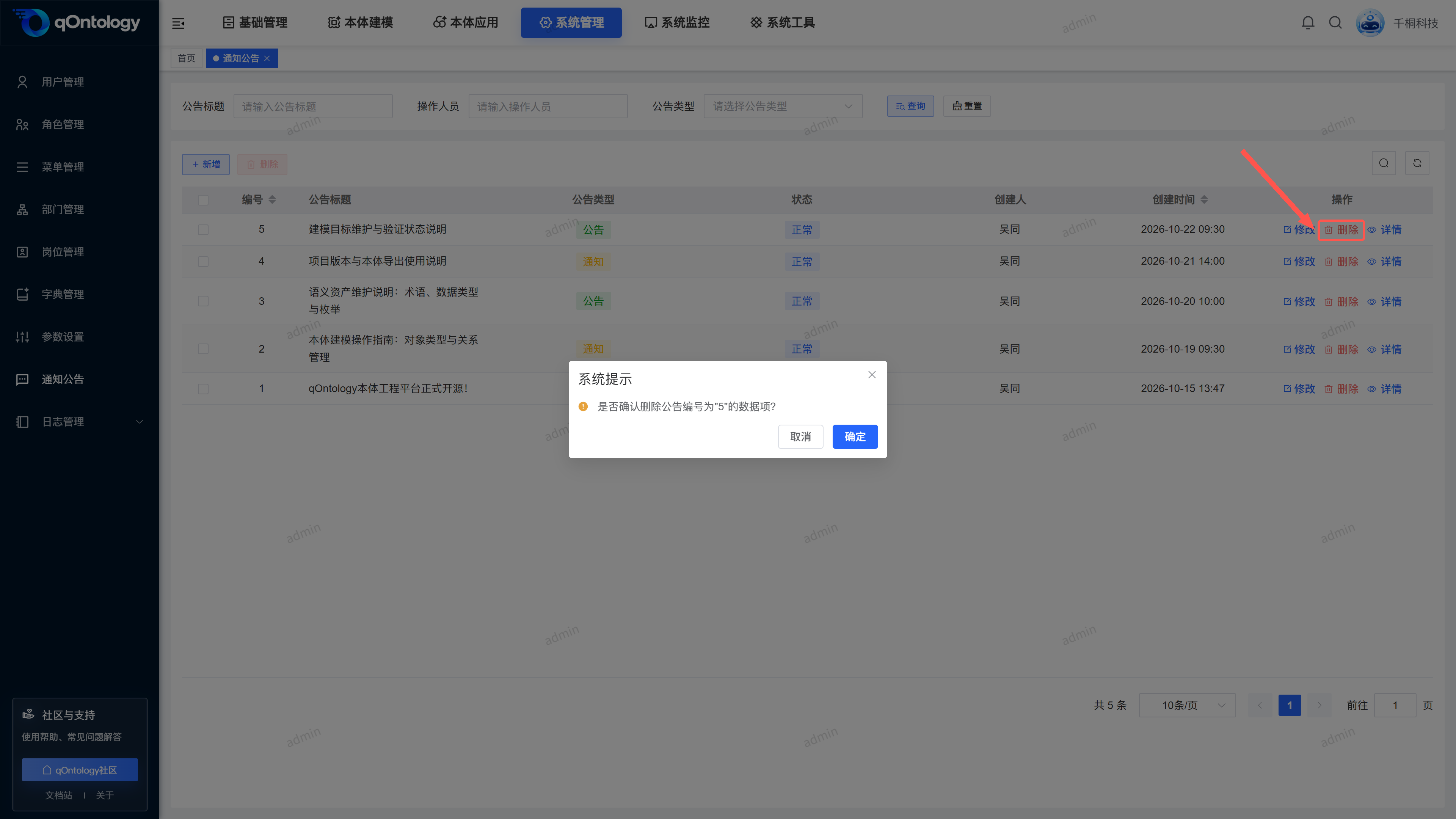
Select the notification announcement to be deleted, click the [Delete] button in the operation column, and click the [OK] button. The system will delete the notification announcement.
5. Batch deletion notification announcement
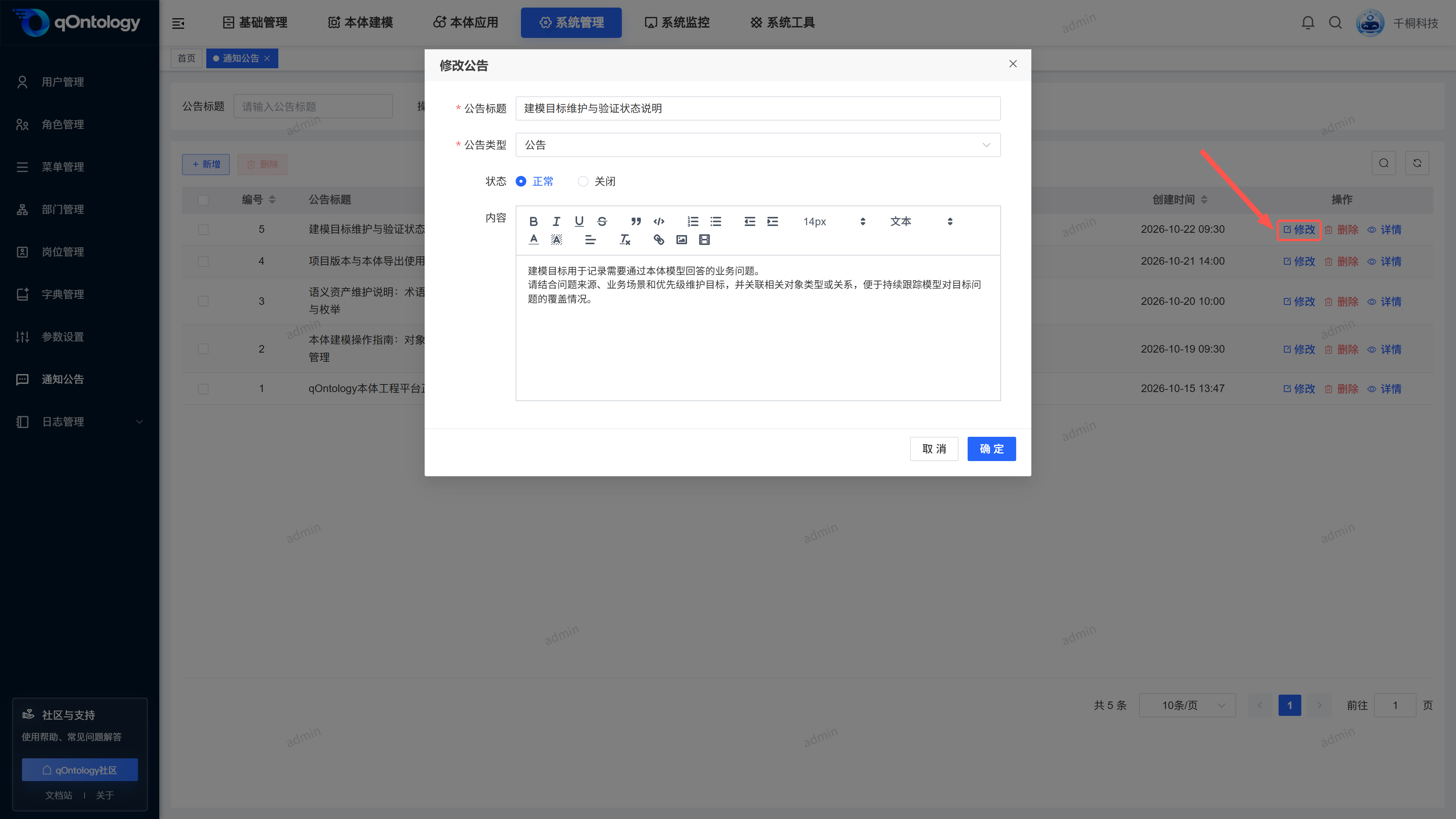
Select multiple notification announcement checkboxes in the page list, click the [Delete] button, confirm the deletion in the pop-up box that appears, and click the [OK] button to complete the batch deletion of notification announcements.