Operation log
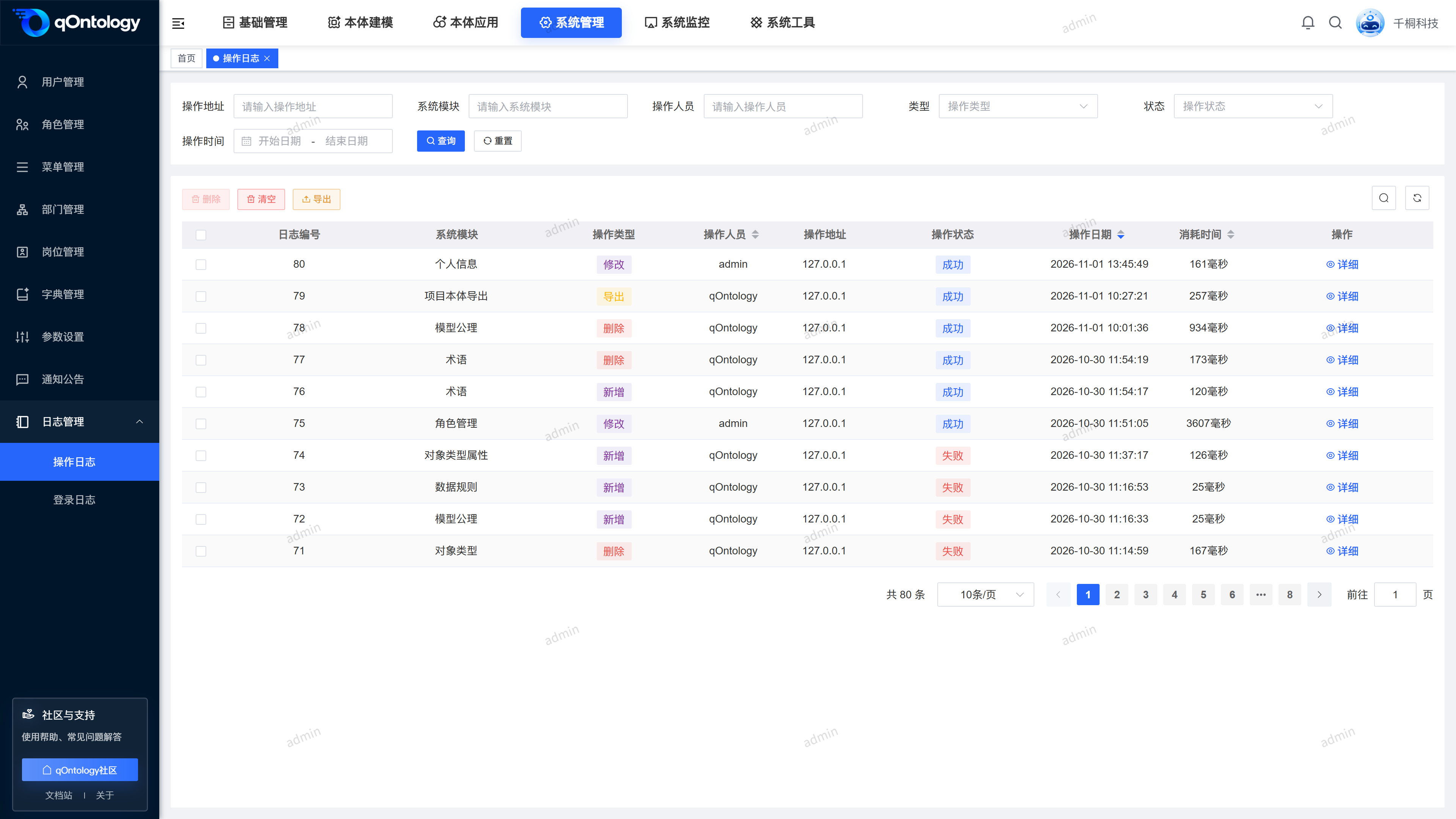
1. Operation log page
Click [Operation Log] under [System Management] to enter the operation log page. This page displays a list of fields including log number, system module, operation type, operator, operation address, operation status, operation date and time consumed.
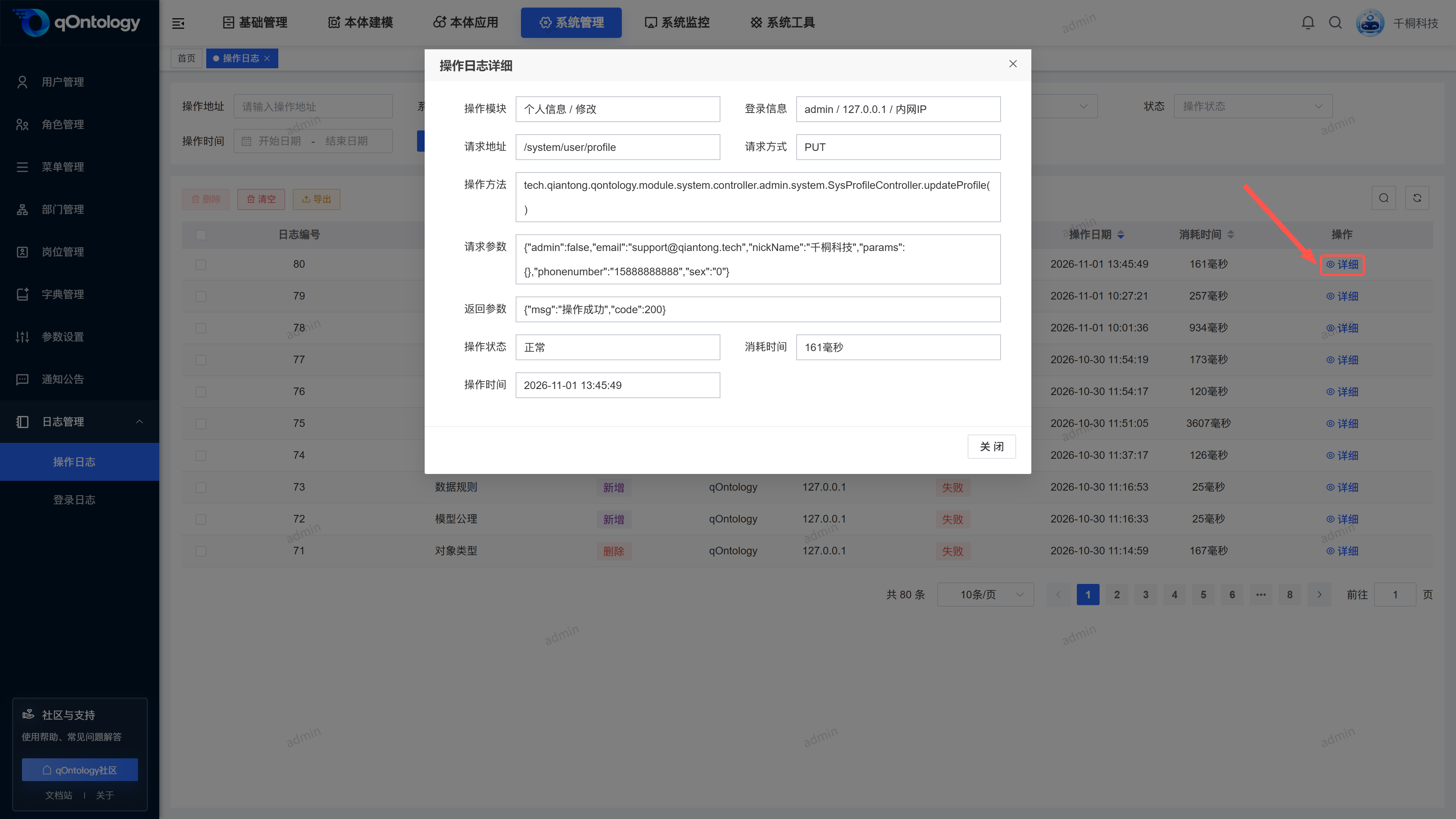
2. Operation log details
Select the operation log you want to view and click the [Details] button in the operation column to view the details of the operation log.
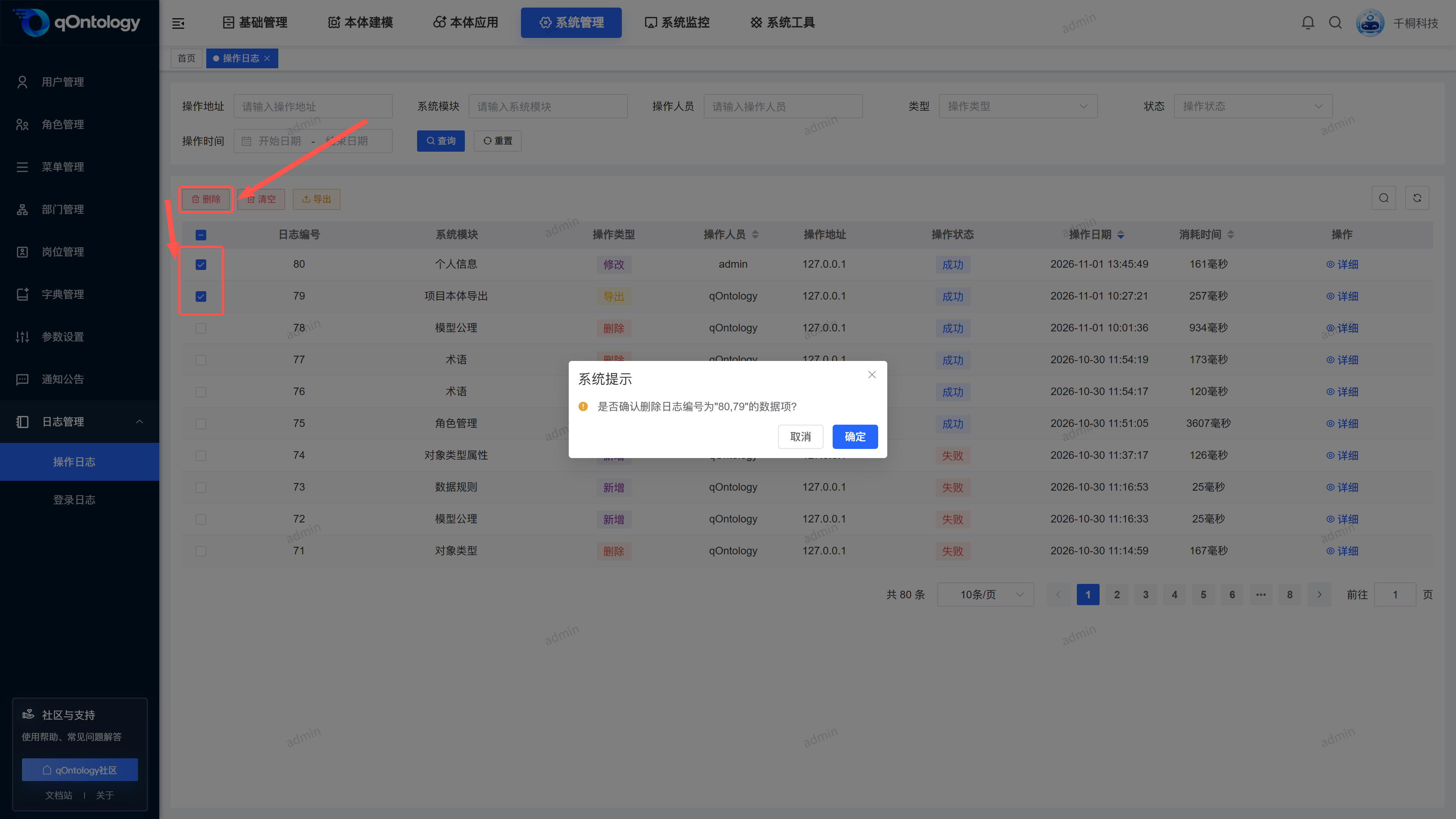
3. Delete operation logs in batches
Select multiple operation log check boxes in the page list, click the [Delete] button, confirm the deletion in the pop-up box that appears, and click the [OK] button to complete the batch deletion of operation logs.
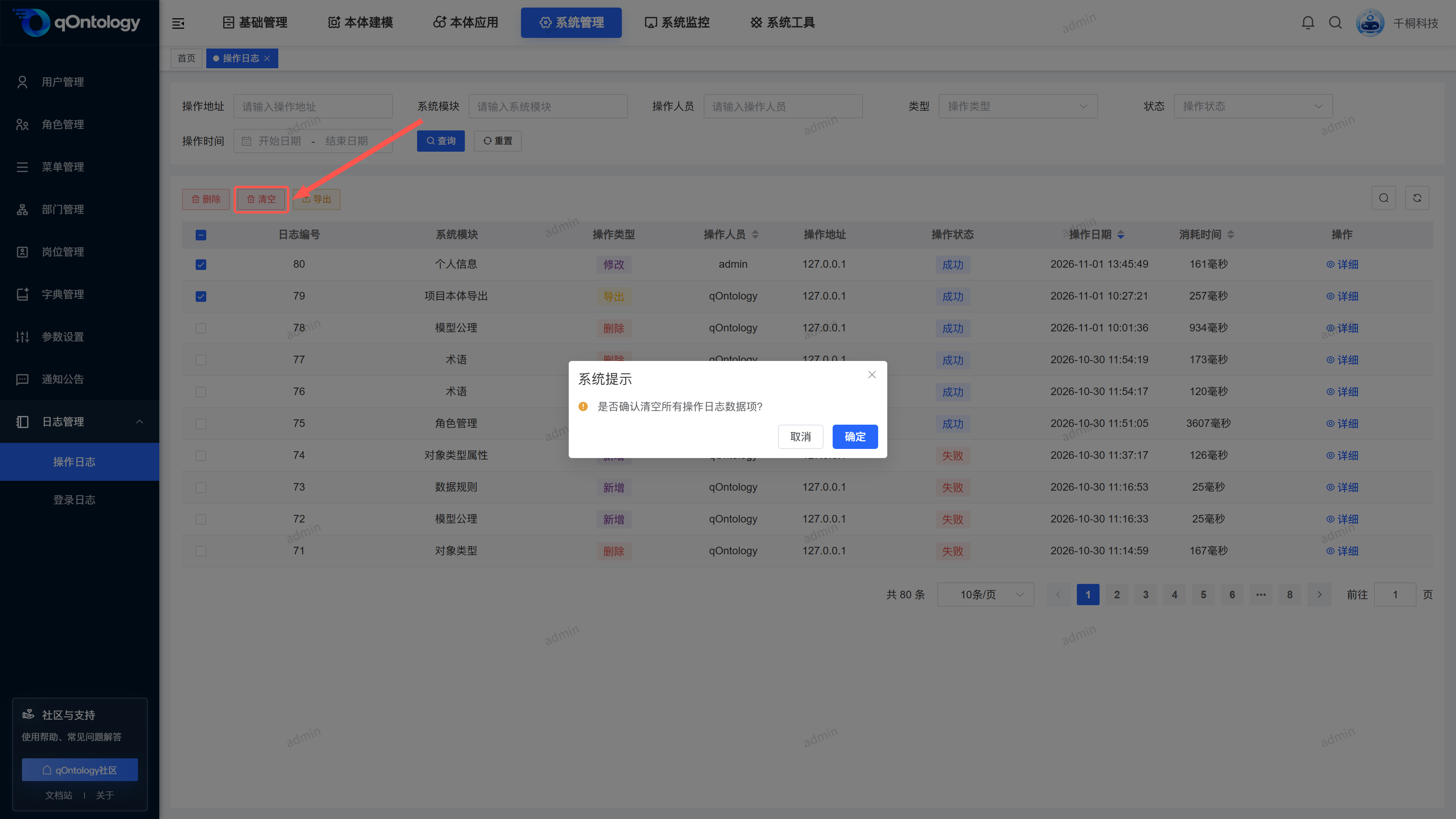
4. Clear the operation log
Click the [Clear] button on the page and click the [OK] button to clear the operation log.
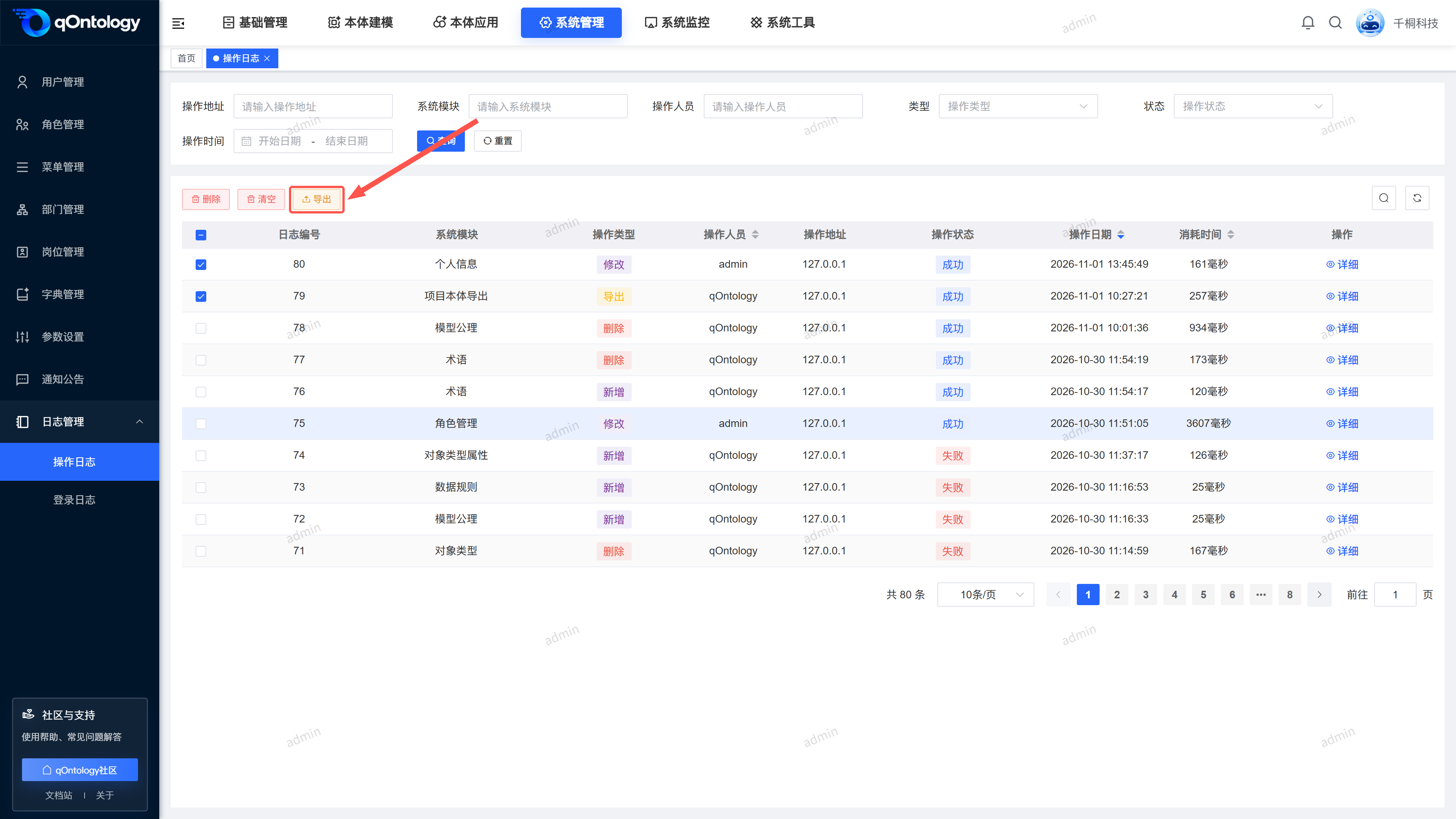
5. Export operation log
Click the [Export] button on the page, and the exported file will be automatically downloaded and can be viewed in the download list of the browser.