
Business Data Types
Feature overview
Purpose
Project-level Business Data Types adds business name, unit, decimal place, format or enumeration definition to the basic type for reuse by object attributes and other functions of the current project version.
In practice: Add business meanings to common types such as integers and decimals, such as purchase amounts with "yuan" units.
Main features
- Type encapsulation: Centrally define basic types and business parameters.
- enumeration Reference: You can select the current project or global enumeration.
- Version range: Different from the global Business Data Types in Basic Management.
Scope
The information on this page belongs to the current project and version; entry, editing, deletion and other operations are subject to corresponding authorization controls. After switching projects or versions, lists and associated objects should be rechecked.
Before you begin
Prerequisites
- You have logged in to qOntology and have obtained the permissions for this page and the required operations.
- The project has been created in [Basic Management], and the correct project and version have been selected at the top of [Ontology Modeling].
- The basic type, unit and other parameters have been clarified; when it is necessary to limit the enumeration value, first maintain the project or global enumeration.
Navigation path
【Ontology Modeling】 > 【Semantic Assets】 > 【Business Data Types】
Page overview
Query by name and data type at the top. The name, description, data type and creation information are displayed in the list below. [Details] [Modify] [Delete] are provided in the row. Use the pop-up window to add and modify, and the type parameters are displayed according to the selected data type.
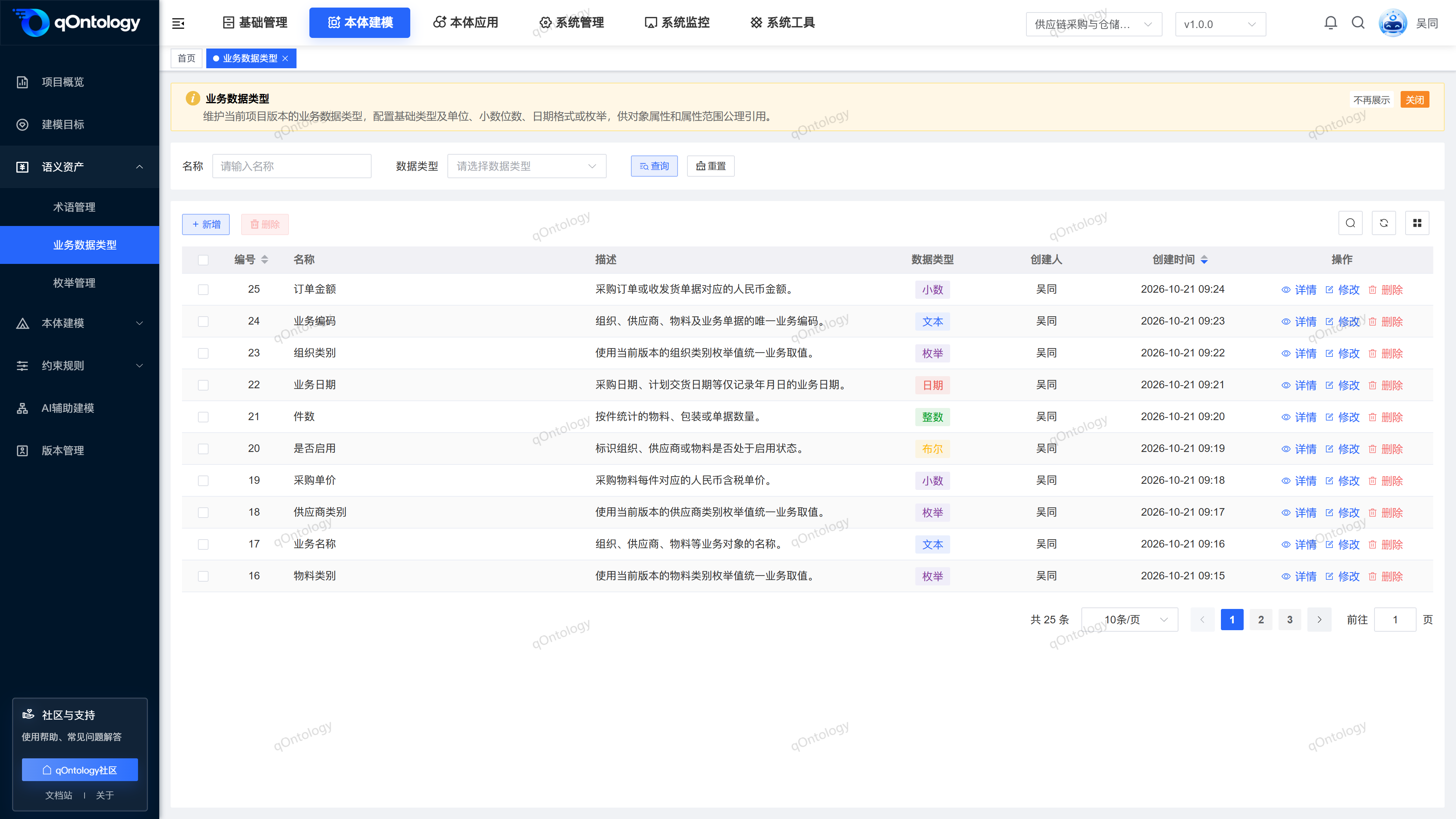
Recommended workflow
Confirm the project version → Define the business type → Fill in the parameters according to the basic type → Select Business Data Types in the object properties.
Functional operation instructions
Added Business Data Types
- Click [Add].
- Fill in the name.
- Select data type.
- Fill in the parameters displayed for this type.
- Fill in the description.
- Click [OK].
| Field name | illustrate | Is it required? |
|---|---|---|
| name | Used to distinguish business meaning, up to 128 characters; cannot be repeated within the same project version. | yes |
| data type | Support text, integer, decimal, Boolean, date, enumeration. | yes |
| unit | Unit of measurement in whole or decimal type, up to 32 characters. | Required for integers/decimals |
| Decimal places | The decimal place parameter of decimal type must be a non-negative integer. | Required when decimal |
| Format | Date representation format, up to 128 characters. | Date is required |
| enumeration type | Group selections by Current Project or Global. | The current form is not required |
| describe | Description type purpose. | no |
Result: After successful saving, the type appears in the current version list.
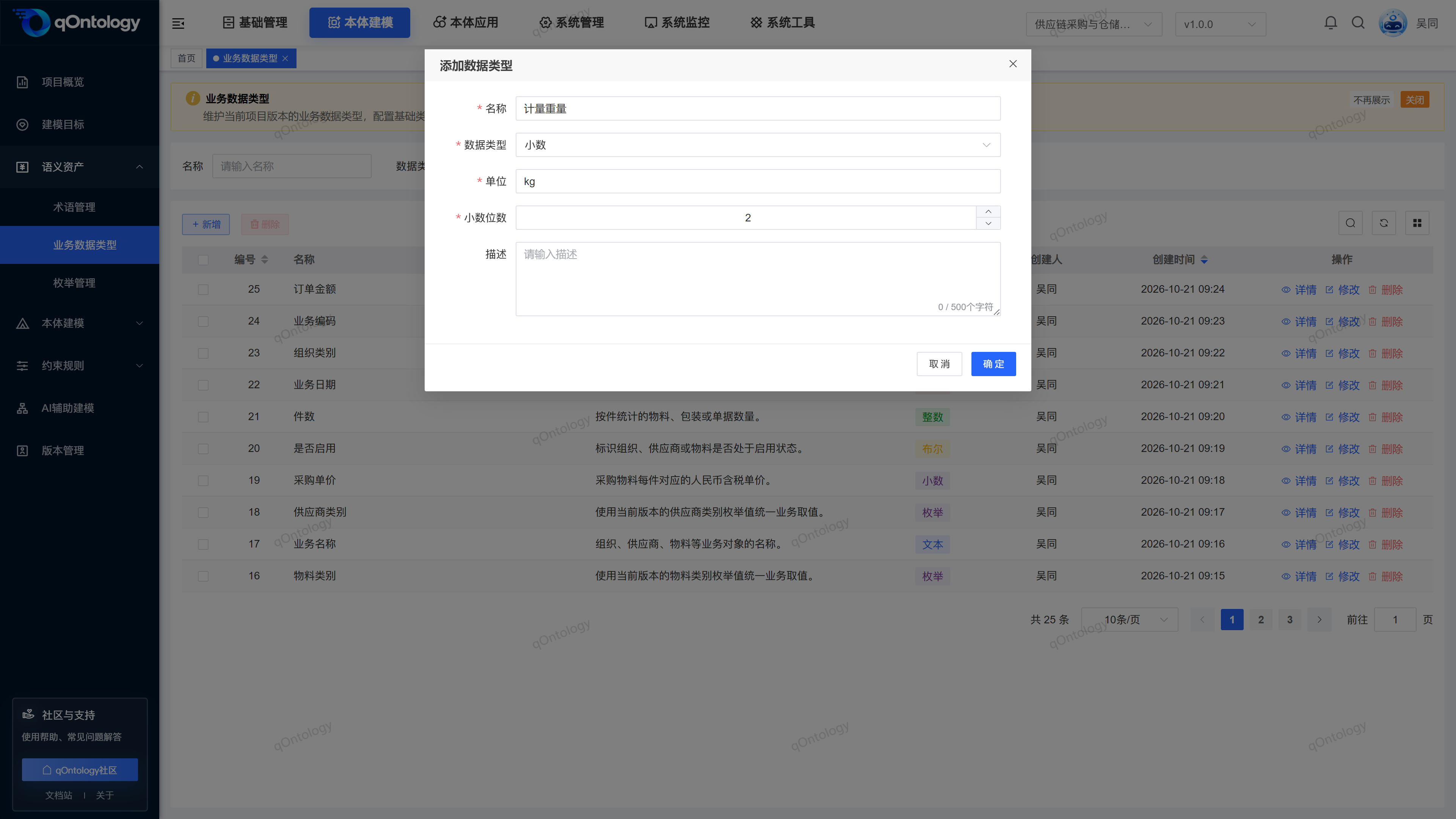
The enumeration type field is not marked as required in the current project-level form; if business requirements limit candidate values, the maintained enumeration should still be selected.
Quote enumeration definition
- Click [Add] or [Modify] of the target row.
- Set data type to [enumeration].
- Open the [enumeration Type] drop-down box.
- Select the target enumeration in the [Current Project] or [Global] group.
- Click [OK].
Result: Save the reference relationship between this type and the selected enumeration.
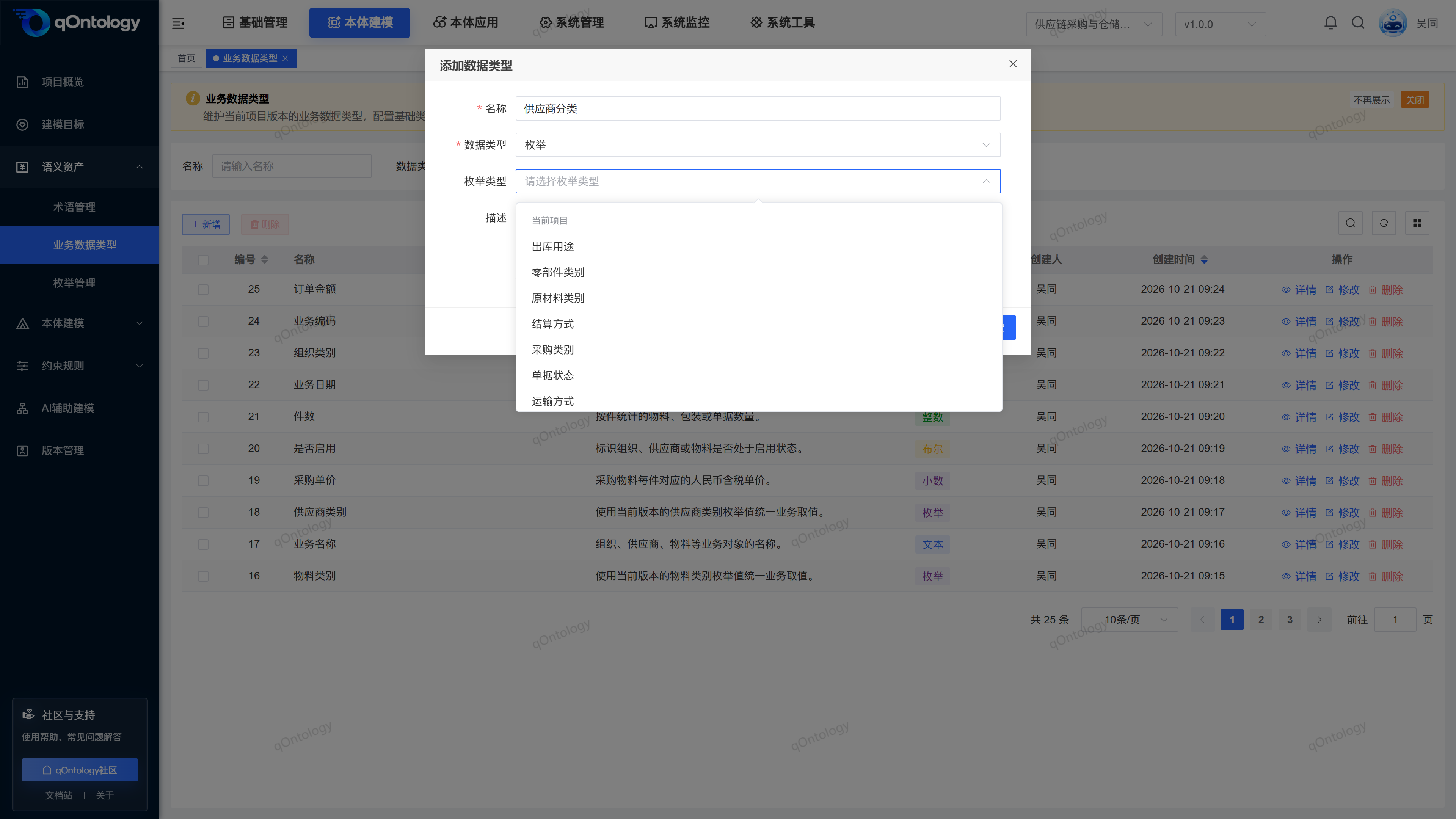
Query, modify and delete types
- Locate the target type through the query area.
- Click the target row [Details] to check the configuration.
- Close details.
- Click [Modify].
- Adjust the fields that need to be modified.
- Click [OK].
Result: After successful saving, the saved information will be displayed in the list and details.
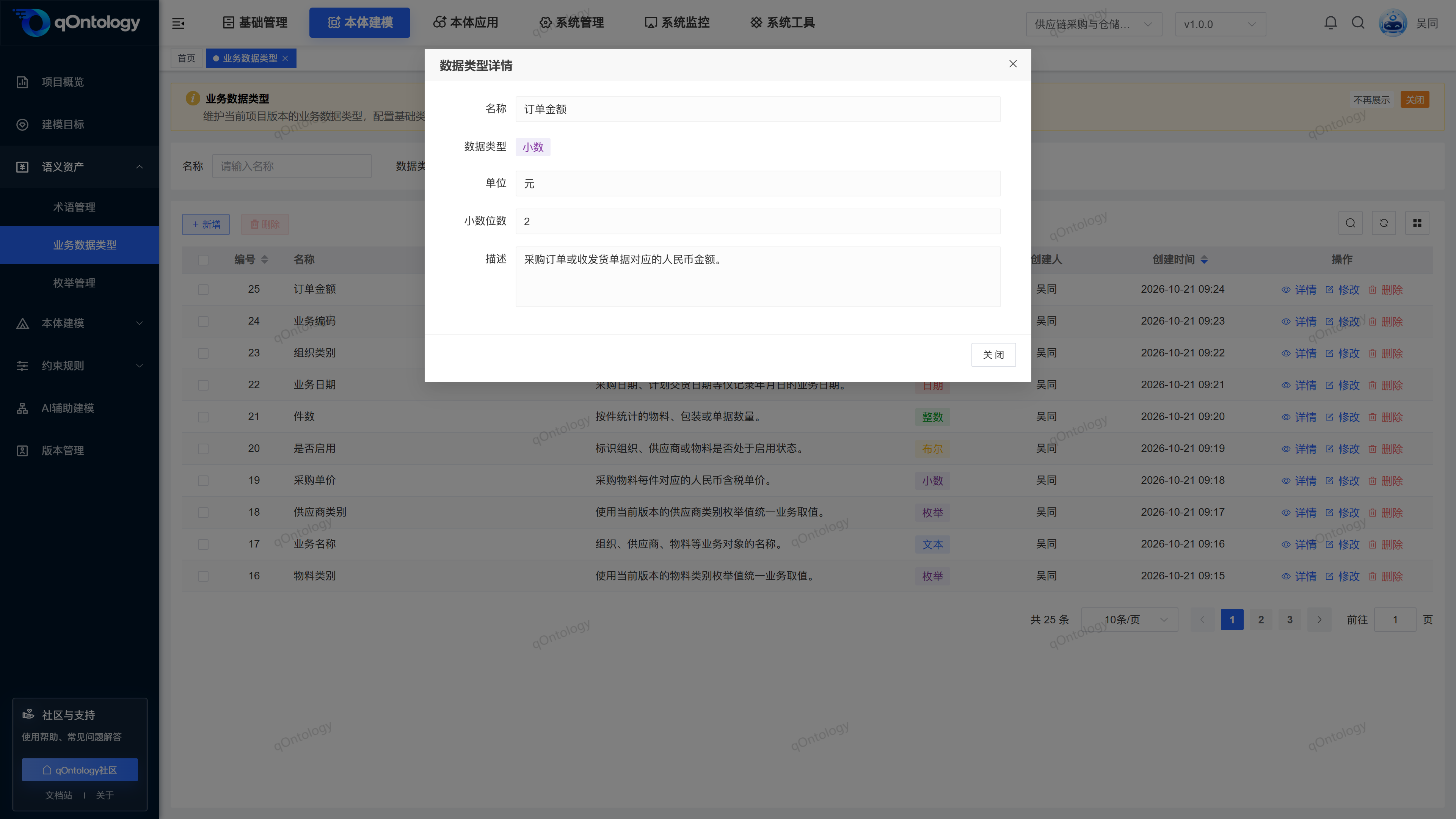
When deleting, click [Delete] in the row or check the records and use batch deletion, check the prompts and confirm; the list will be refreshed after success. Check the object properties referencing this business type before deleting. If the prompt is referenced by Model Axioms, follow the prompt to modify or delete the corresponding axiom to unbind it, and then delete the type; if there are referenced items in the batch deletion, this deletion will be rejected.
FAQ
What is the difference between Business Data Types in Basic Management?
Basic Management defines the global type; this page defines the type within the current project version, and the source will be distinguished during downstream selection.Will all business data be verified immediately after selecting enumeration?
This page maintains type definitions. Saving does not mean performing a full inspection of the extracted data.
Summarize
Add business meaning to common types such as integers and decimals, such as purchase amounts with "yuan" units. Confirm the project version → Define the business type → Fill in the parameters according to the basic type → Select Business Data Types in the object properties.