
enumeration type
Feature overview
Purpose
The enumeration type maintains a limited value set for the current project version, such as supplier category and order status. First create the enumeration type, and then maintain the enumeration data in it.
In practice: First create an "option group", and then fill in each optional value.
Main features
- Type and data layering: Maintain enumeration group and specific tags and values respectively.
- Status Management: Types and data can be set to normal or disabled.
- Business type reuse: Project Business Data Types can reference enumeration on this page.
Scope
The information on this page belongs to the current project and version; entry, editing, deletion and other operations are subject to corresponding authorization controls. After switching projects or versions, lists and associated objects should be rechecked.
Before you begin
Prerequisites
- You have logged in to qOntology and have obtained the permissions for this page and the required operations.
- The project has been created in [Basic Management], and the correct project and version have been selected at the top of [Ontology Modeling].
- The enumeration name, type code, and labels, key values, and order of each option have been organized.
Navigation path
【Ontology Modeling】 > 【Semantic Assets】 > 【enumeration Management】
Page overview
The manual navigation name is [enumeration Type], and the current system side menu displays [enumeration Management]. The type list provides enumeration name, code, status and operation; maintain specific options after entering the data page.
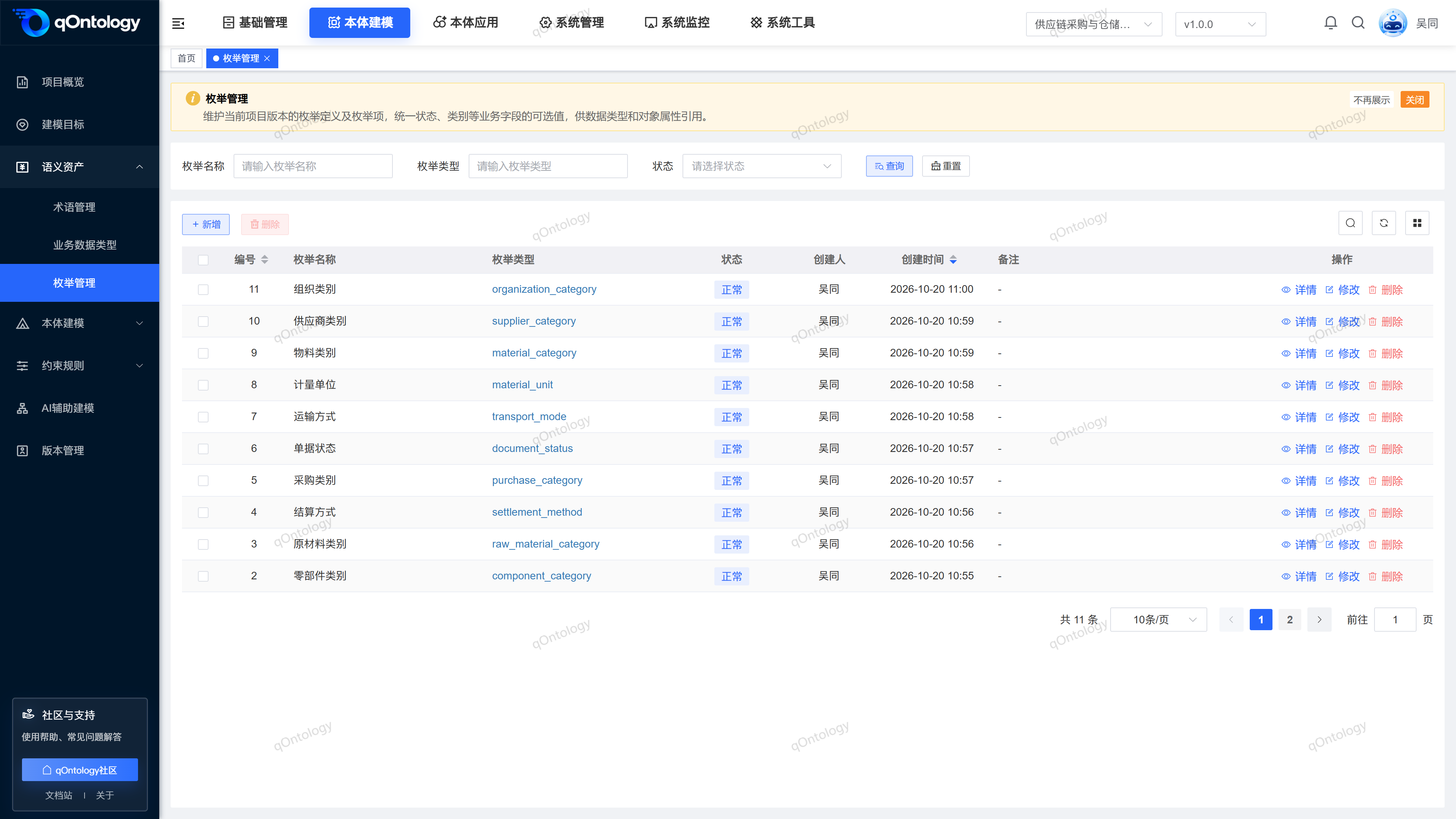
Recommended workflow
Create enumeration type → Enter enumeration data → Maintain labels and values → Reference in Business Data Types or attributes.
Functional operation instructions
Query and reset
- Fill in or select the enumeration name, enumeration type and status in the query area.
- Click [Query].
- Click [Reset] when you need to restore conditions.
Result: The list is reloaded according to conditions and can be viewed in paging.
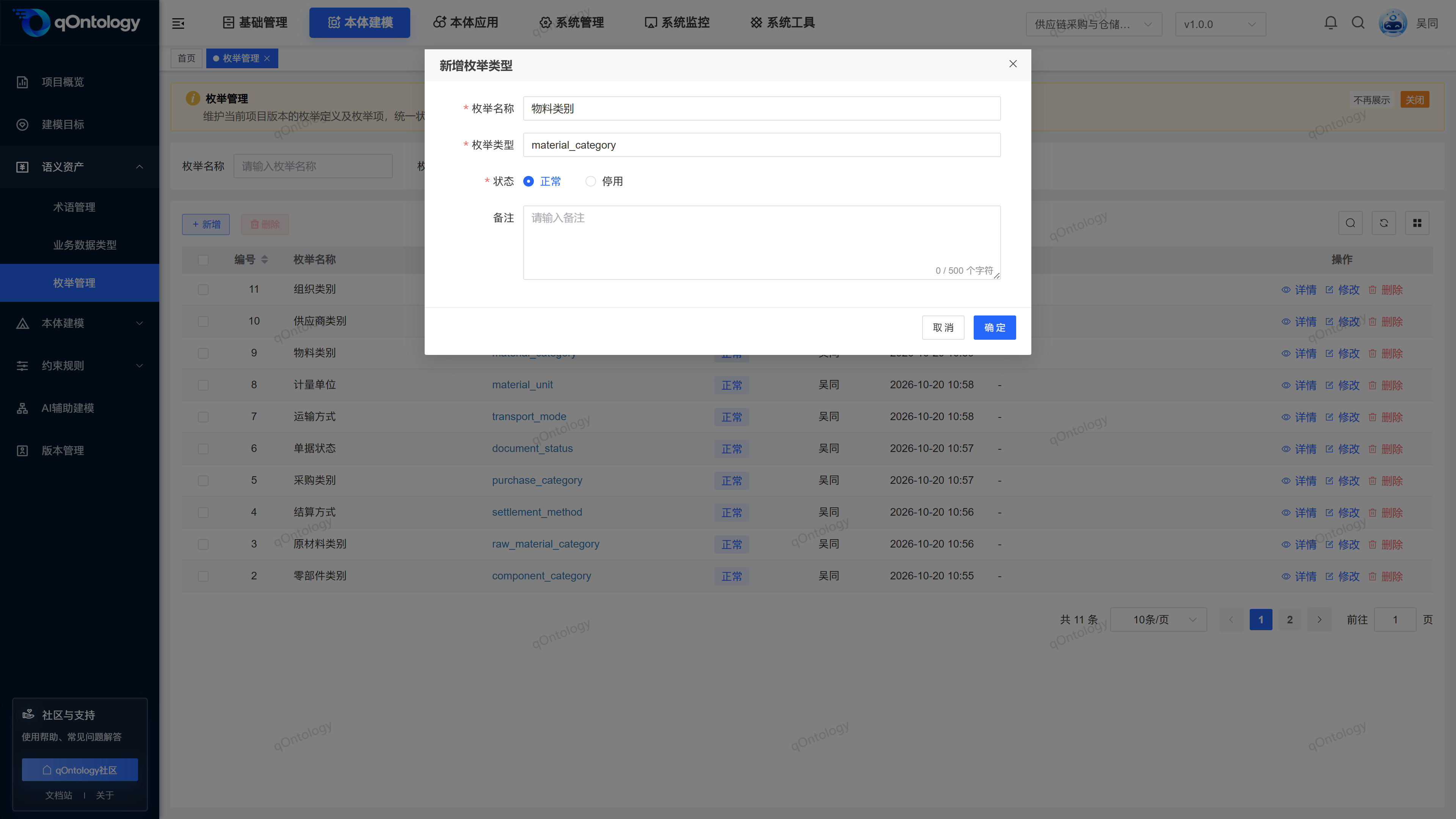
Added enumeration type
- Click [Add].
- Fill in the enumeration name and [enumeration type] code.
- Select status.
- Fill in notes as needed.
- Click [OK].
- enumeration Name: The business name of the enumeration group, with a maximum of 128 characters. It cannot be repeated within the same project version. (required)
- enumeration type: up to 128 characters; starting with a letter, only containing letters, numbers and underscores. The coding cannot be repeated within the same project version. (required)
- Status: Normal or Disabled. (required)
- Remarks: Supplementary use; maximum input of 500 characters on the page. (optional)
Result: The type list is refreshed after the addition is successful.
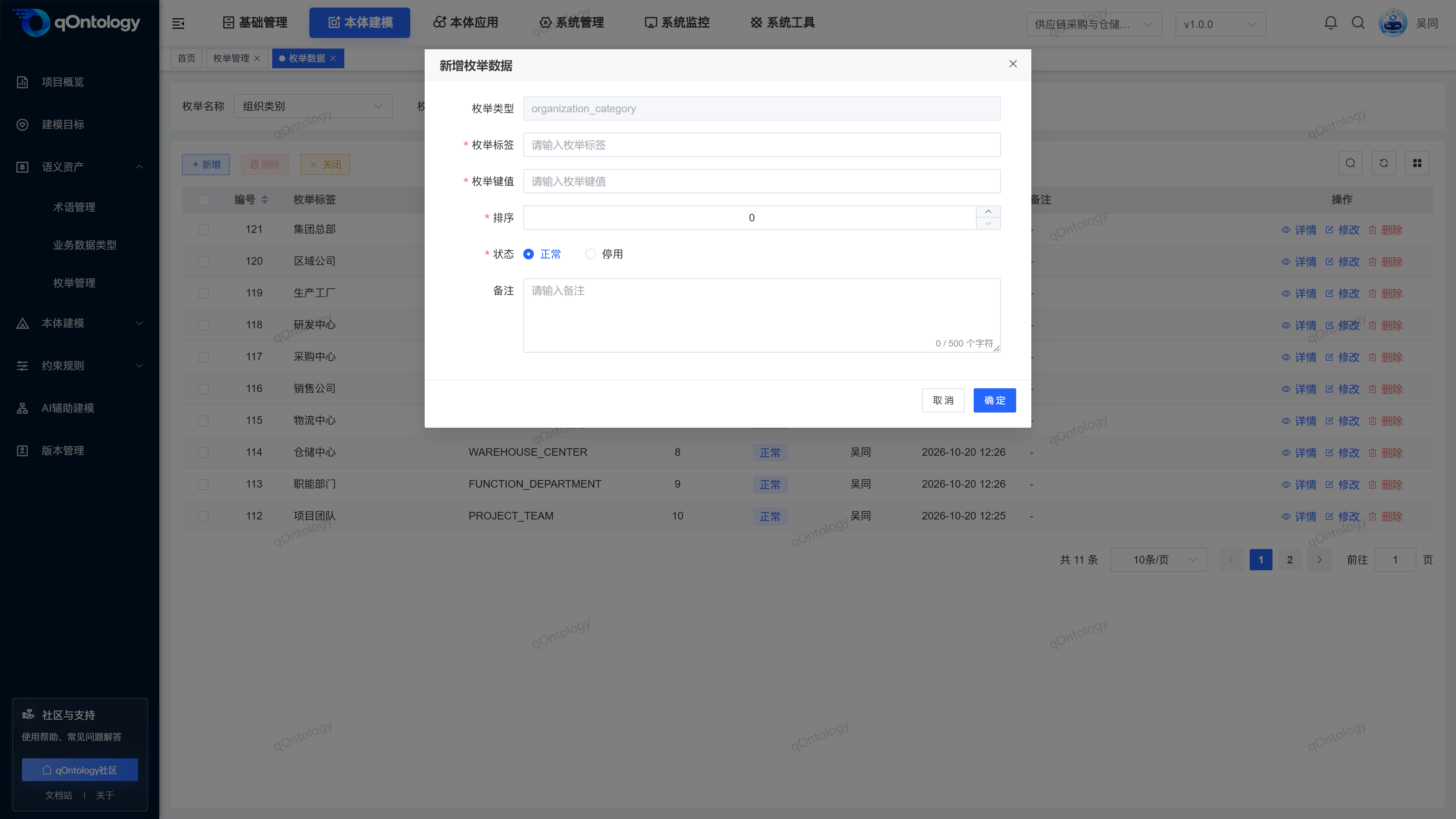
Maintain enumeration data
- Click the coding link in the [enumeration Type] column of the target row to enter the data page of this type.
- Click [Add].
- Fill in the enumeration label and enumeration key value.
- Fill in the order.
- Select status.
- Fill in notes as needed.
- Click [OK].
Result: After the addition is successful, the option appears in the data list of this type.
Both the enumeration label and enumeration key value are required, with a maximum of 128 characters; sorting is required, defaults to 0, and cannot be a negative number. Labels are for business reading, and key values are used to identify options; do not just modify labels and ignore the business meaning of existing key values.
The data row can be modified or deleted; click [OK] after modification. To delete, you need to check the confirmation box. You can use the side [enumeration Management] menu to return the type list.
Modify enumeration type
- Click [Modify] on the target record row.
- Adjust the fields that need to be modified.
- Click [OK].
Result: The list will be refreshed after successful saving; reopen the record to check the modification results.
Delete enumeration type
- Click [Delete] on the target record row.
- Check the target record in the confirmation box.
- Confirm deletion.
Result: After the deletion is successful, the list is reloaded and the target record is no longer displayed.
You can also check records and use [Delete] above the list to process them in batches.
Warning
Check the business purpose and related information before deleting. When there is still enumeration data under the type, the system requires that the data under it be processed first; when it is referenced by Model Axioms, the binding of the corresponding axiom needs to be unbinded first. If any type of batch deletion does not meet the conditions, the deletion will be rejected. This page does not provide a recycle bin recovery entry.
Supplementary page reference
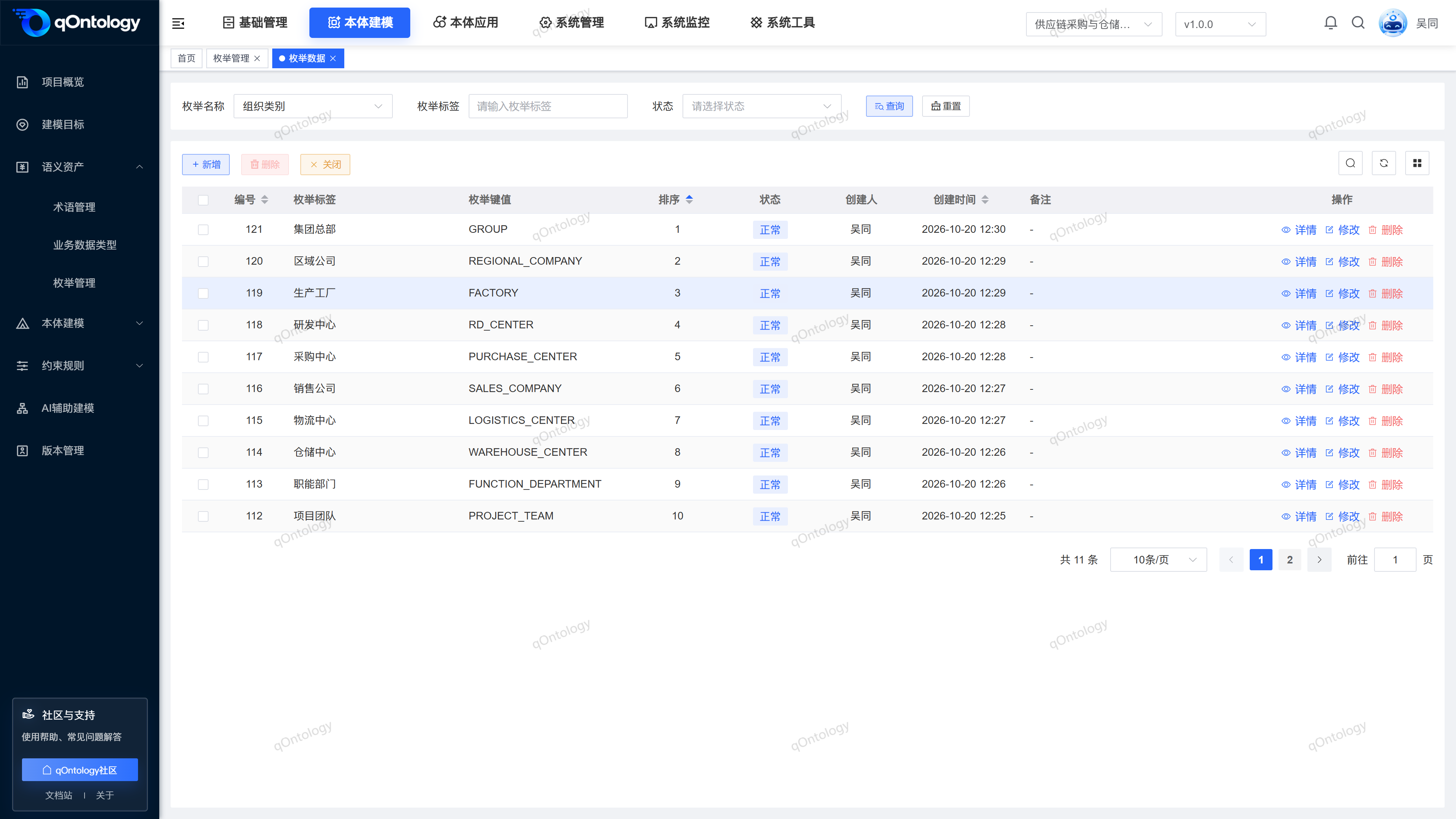
The picture below shows the enumeration data page, which is used to check labels, key values, sorting and status.
FAQ
Are deactivation type and deletion type the same?
is different. Deactivates a retention definition and changes the status; delete removes the record. This page does not provide a way to restore deleted definitions.Why can’t I batch import enumeration files?
The current page does not provide available import and export operation entrances, and this manual does not use hidden implementation as a user function.
Summarize
First create an "option group" and then fill in each optional value. Create enumeration type → Enter enumeration data → Maintain labels and values → Reference in Business Data Types or attributes.